Choosing the right design tool can be confusing, especially when programs like Photoshop, Inkscape and Adobe Illustrator are often mentioned together. At first glance, they may all look like “graphic design software,” but they are built for different types of work.
The simplest way to understand the difference is this: Photoshop is mainly for working with photos and pixel-based images, while Inkscape and Adobe Illustrator are mainly for vector graphics such as logos, icons and scalable illustrations.
That difference matters a lot. If you use the wrong tool for the wrong task, you may end up with blurry logos, difficult-to-edit files, poor print quality or unnecessary extra work. Each program has its own strengths, and the best choice depends on what you want to create.
Photoshop: Best for Photos, Image Editing and Visual Compositions
Adobe Photoshop is one of the most popular image-editing tools in the world. It is mainly used for working with raster graphics, which means images made from pixels. Most photos, website banners, social media graphics and digital artwork are raster-based.
Photoshop is the best choice when the project involves photo editing, retouching, lighting adjustments, background removal, color correction or combining multiple images into one composition. If you are creating a featured image for a blog post, editing a product photo, designing a digital ad or building a realistic collage, Photoshop is usually the right tool.
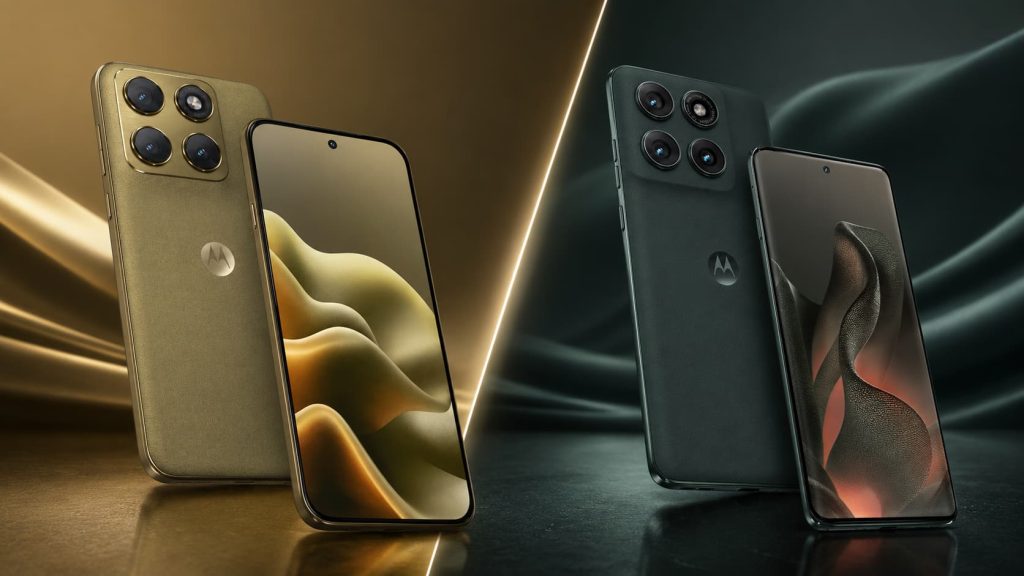
For example, if you want to create an article image with two smartphones, a modern background, shadows, lighting and visual effects, Photoshop is much more suitable than Inkscape or Illustrator. It gives you detailed control over pixels, layers, masks, blending modes, textures and image effects.
Photoshop is also useful for web graphics, thumbnails, social media posts, mockups and promotional images. It works especially well when the final output will be a JPG, PNG or WebP image.
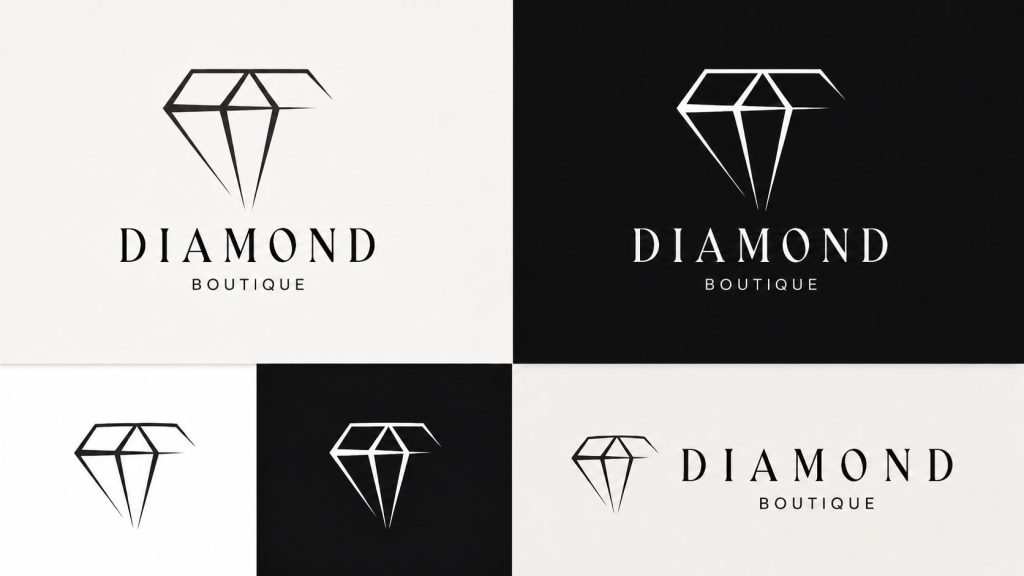
However, Photoshop is not the best tool for creating logos or scalable icons. You can technically create a logo in Photoshop, but it will not be as flexible as a vector logo. If the logo needs to be used on a business card, website, T-shirt, billboard or vehicle wrap, it should be created as a vector file instead.
Inkscape: Best Free Tool for Vector Graphics
Inkscape is a free and open-source vector graphics editor. It is often seen as a free alternative to Adobe Illustrator. Unlike Photoshop, Inkscape is not focused on pixels. It works with shapes, paths, curves, lines and mathematical objects that can be scaled without losing quality.
This makes Inkscape a good choice for logos, icons, SVG graphics, simple illustrations, diagrams, charts and website visuals. If you need to create a clean logo or an SVG icon for a website, Inkscape can do the job very well.
One of the biggest advantages of Inkscape is that it is free. For beginners, small businesses, students or people who do not want to pay for Adobe software, it is a very useful tool. It can export SVG, PDF, PNG and other formats, which makes it practical for web and basic print use.
Inkscape is especially useful for creating graphics that must remain sharp at any size. A vector icon made in Inkscape can be used as a small website icon or enlarged for a poster without becoming blurry.
The main limitation is that Inkscape is not as widely used in professional design agencies, print workflows or large creative teams as Adobe Illustrator. Some advanced features, file compatibility and industry-standard workflows may be better handled in Illustrator. Still, for many everyday vector tasks, Inkscape is more than enough.
Adobe Illustrator: Best for Professional Vector Design
Adobe Illustrator is the professional industry standard for vector graphics. Like Inkscape, it is used for creating logos, icons, typography, illustrations, brand elements, packaging, posters, infographics and print-ready designs.
The main difference is that Illustrator is more advanced, more polished and more widely used in professional environments. Designers, agencies, printers and branding studios often work with Illustrator files because it is part of the Adobe Creative Cloud ecosystem and integrates well with Photoshop, InDesign and other Adobe tools.
Illustrator is the best choice when you are creating professional brand identity materials. This includes logos, business cards, brochures, packaging, labels, stickers, vector illustrations and print files. It is also excellent for precise typography, icon systems and scalable design assets.
If a logo needs to be used across many formats, Illustrator is usually the safest choice. A proper Illustrator logo can be exported as SVG for websites, PDF for print, PNG for quick previews and AI/EPS files for professional use.
Illustrator is not designed for heavy photo editing. You can place images inside Illustrator layouts, but if you need to retouch skin, remove objects from a photo, adjust lighting or create realistic image compositions, Photoshop is the better tool.
The Key Difference: Raster vs Vector
The most important difference between these tools is the difference between raster and vector graphics.
Raster graphics
Raster graphics are made of pixels. Photos are raster images. If you zoom in far enough, you can see the individual pixels. Photoshop is mainly a raster-based tool.
Raster images are ideal for:
- photos;
- realistic images;
- website banners;
- social media graphics;
- thumbnails;
- product images;
- digital collages;
- featured images for articles.
The downside is that raster images lose quality when they are enlarged too much. A small JPG logo created in Photoshop may look fine on a website, but it can become blurry or pixelated if used on a large poster.
Vector graphics
Vector graphics are made of mathematical paths, shapes and curves. Inkscape and Illustrator are vector-based tools.
Vector graphics are ideal for:
- logos;
- icons;
- SVG files;
- illustrations;
- typography;
- diagrams;
- print designs;
- packaging;
- stickers;
- signs;
- T-shirt designs.
The biggest advantage of vector graphics is scalability. A vector logo can be resized from a tiny favicon to a huge billboard without losing quality.
Which Tool Is Best for Logos?
For logos, Adobe Illustrator is usually the best professional choice. It gives you the strongest tools, best compatibility and most reliable output for branding and print.
Inkscape is also a good option, especially if you want a free tool. It can create proper vector logos and export SVG files, which are useful for websites.
Photoshop should not be your first choice for logo design. It can be used for logo mockups or presentation images, but the actual logo file should ideally be created in Illustrator or Inkscape.
Which Tool Is Best for Featured Images and Blog Graphics?
For featured images, article graphics, thumbnails and promotional visuals, Photoshop is usually the best option.
This is because these images often include photos, backgrounds, textures, shadows, lighting effects, gradients and realistic compositions. Photoshop gives much better control over these elements.
For example, if you are making a tech article image comparing two phones, Photoshop is the more natural tool. You can combine product images, create a diagonal split background, add reflections, adjust lighting and export the final image in the correct website size.
Illustrator or Inkscape can be used to create icons, labels or vector elements that are added to the design, but the final visual composition is usually better handled in Photoshop.
Which Tool Is Best for Website Icons and SVG Files?
For SVG icons and clean website graphics, Inkscape and Illustrator are the better choices.
SVG files are vector-based, which means they stay sharp on different screen sizes and resolutions. This makes them ideal for website icons, logos, interface graphics and simple illustrations.
Inkscape is a great free option for creating SVG icons. Illustrator is better if you need professional control, advanced design features or Adobe workflow compatibility.
Photoshop is not ideal for creating SVG icons because it is not built around vector paths in the same way.
Which Tool Is Best for Print?
For print materials, Adobe Illustrator is usually the strongest option. It is widely used for business cards, posters, flyers, packaging, labels and brand materials.
Illustrator handles vector artwork, typography and print-ready exports very well. It is also more commonly accepted by professional printers and agencies.
Inkscape can also be used for print, especially for simpler projects, but Illustrator is generally safer for professional print workflows.
Photoshop is useful for print when the design is photo-heavy, such as a poster with a large edited image. However, logos, typography and layout elements are usually better handled in Illustrator or InDesign.
Practical Examples
If you want to edit a product photo, use Photoshop.
If you want to design a logo for a business, use Illustrator or Inkscape.
If you want to make a website icon in SVG format, use Inkscape or Illustrator.
If you want to create a featured image for a blog article, use Photoshop.
If you want to prepare a professional brand identity package, use Illustrator.
If you want a free tool for basic vector design, use Inkscape.
If you want to create a social media banner with photos and effects, use Photoshop.
Photoshop vs Inkscape vs Illustrator: Final Comparison
Photoshop is best for photo editing, image manipulation, collages, banners, mockups and digital visuals. It works mainly with pixels and is ideal when the final result is a JPG, PNG or WebP image.
Inkscape is best for free vector design. It is useful for logos, icons, SVG files, simple illustrations and diagrams. It is a strong choice if you need vector graphics but do not want to pay for Adobe software.
Adobe Illustrator is best for professional vector design. It is the strongest option for logos, brand identity, icons, typography, illustrations and print-ready design files. It is more advanced than Inkscape and better suited for professional design workflows.
Final Thoughts
Photoshop, Inkscape and Adobe Illustrator are not the same type of tool. They overlap in some areas, but each one has a different purpose.
Use Photoshop when working with photos, realistic images, article graphics, advertising visuals and digital compositions.
Use Inkscape when you need a free tool for vector graphics, logos, SVG icons and simple illustrations.
Use Adobe Illustrator when you need professional vector design, brand identity, scalable logos and print-ready files.
The best setup depends on your work. For professional design, the strongest combination is usually Photoshop + Illustrator. For a more budget-friendly workflow, Photoshop + Inkscape can also work very well.
The most important thing is to choose the tool based on the final use of the design. If the image needs to be edited like a photo, Photoshop is the right choice. If it needs to scale perfectly at any size, use Inkscape or Illustrator.